
Witika Business Diagnostics
Software Overview
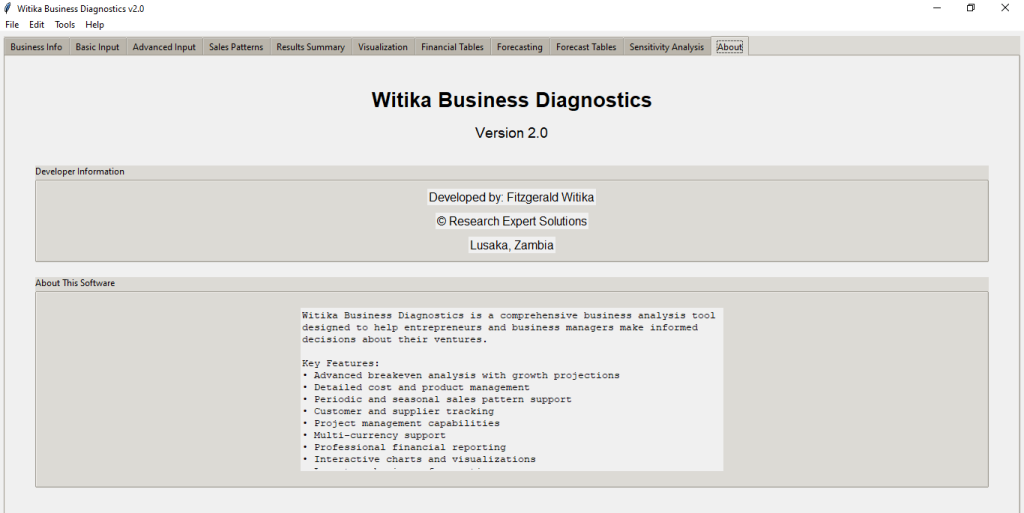
Witika Business Diagnostics is a comprehensive business analysis, break-even modelling, forecasting, sensitivity analysis, and financial reporting software developed to help entrepreneurs, business owners, consultants, SMEs, startups, students, academics, NGOs, policy professionals, and business development organizations evaluate business viability and performance.
The software is designed to help users understand when a business is likely to become profitable, how much revenue is needed to cover costs, how sales patterns affect cash flow, and how changes in customers, suppliers, employees, prices, or costs can influence business sustainability.
Unlike a simple calculator, Witika Business Diagnostics combines business information management, cost analysis, product analysis, sales pattern modelling, revenue recognition, break-even analysis, forecasting, financial tables, visualization, sensitivity analysis, project saving, and report export in one integrated desktop application.
It is especially useful for business planning, feasibility studies, entrepreneurship training, SME advisory work, grant applications, loan preparation, investment readiness assessments, and business performance diagnostics.


Value to Entrepreneurs and Startups
For entrepreneurs and startups, Witika Business Diagnostics provides a practical way to test whether a business idea is financially viable before committing large amounts of money.
Users can enter initial capital investment, fixed costs, rent, utilities, salaries, price per unit, variable cost per unit, expected units sold, sales frequency, growth rate, tax rate, business start date, and time horizon. The software then calculates whether and when the business will break even.
This is valuable because many businesses fail not because the idea is bad, but because the owner does not clearly understand cost structure, sales volume requirements, cash flow timing, and profitability thresholds.
The software helps answer important questions such as:
How much must I sell to recover my investment?
When will my business become profitable?
Are my prices high enough?
Are my fixed costs too high?
What happens if sales are seasonal?
What happens if revenue is delayed?
What happens if a customer, supplier, or employee is lost?
How does a price increase or cost increase affect profitability?
By answering these questions, the software helps entrepreneurs make better decisions before launching or expanding a business.


Value to SMEs and Established Businesses
For existing businesses, Witika Business Diagnostics can be used to diagnose performance and test future strategies. SMEs can use the software to evaluate new products, new branches, expansion plans, seasonal sales cycles, cost changes, price adjustments, and investment decisions.
The forecasting module allows businesses to project revenue, profit, sales volume, market share, and cash flow over a future period. Forecasts can be generated under conservative, expected, and optimistic scenarios.
This allows business owners and managers to compare possible outcomes and prepare for uncertainty.
The sensitivity analysis module is especially useful for established businesses because it can simulate the effects of losing a key customer, supplier, or employee. It can also test the effect of price changes and cost changes. This helps business owners identify vulnerabilities before they become serious problems.
Value to Consultants and Business Advisors
Business consultants, accountants, financial advisors, SME development professionals, and business development service providers can use Witika Business Diagnostics to support clients with business feasibility analysis and performance diagnostics.
The software provides structured input forms, professional charts, financial tables, and exportable reports. This allows consultants to quickly produce analysis for clients without manually building every model in a spreadsheet.
Consultants can use the tool to support:
- Business feasibility studies.
- SME diagnostics.
- Break-even analysis.
- Loan application support.
- Business restructuring advice.
- Cost reduction planning.
- Pricing strategy analysis.
- Cash flow improvement planning.
- Expansion planning.
- Scenario testing.
- Client advisory reports.
The ability to export charts, financial tables, and reports makes the software useful for presentations, business plans, board papers, consultancy reports, and investor discussions.
Value to Academia
Witika Business Diagnostics has strong academic value, especially in entrepreneurship, business management, economics, accounting, finance, development studies, and business analytics courses.
Lecturers can use the software to demonstrate break-even analysis, contribution margin, fixed and variable costs, growth projections, sales patterns, revenue recognition, profitability metrics, and sensitivity analysis.
Students can use the software to complete entrepreneurship assignments, business plan projects, feasibility studies, capstone projects, financial modelling exercises, and SME case studies.
The software helps students move beyond theoretical formulas by allowing them to interact with real business assumptions and immediately see how those assumptions affect profitability.
For academic researchers, the tool can also support applied research on SME viability, entrepreneurship training, financial literacy, and business development interventions.
Value to the Policy and Development Sector
For policymakers, NGOs, development agencies, incubators, accelerators, local government departments, cooperatives, and enterprise development institutions, Witika Business Diagnostics can support business support programmes and entrepreneurship development initiatives.
Many small enterprises need help understanding whether their businesses are sustainable. This software can be used to assess business viability, identify weak cost structures, evaluate pricing problems, and support funding-readiness assessments.
It is also valuable for policy and development professionals working with businesses that have seasonal or periodic income, such as agriculture, tourism, events, training, contract-based consulting, construction, education, and project-based services.
The software’s ability to model seasonal sales and delayed revenue recognition makes it suitable for businesses operating in environments where cash flow is irregular.
Business Information Management
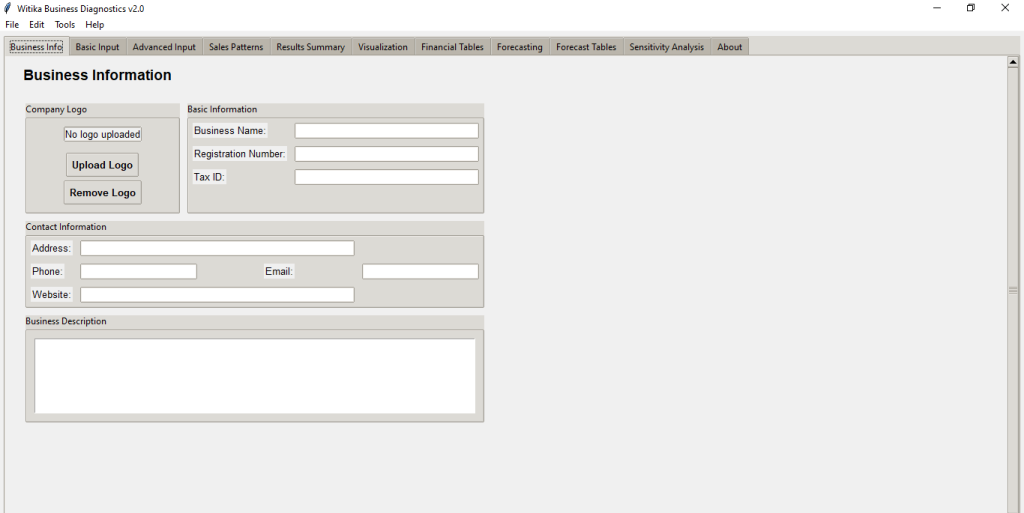
The software includes a business information section where users can record company details such as business name, registration number, tax ID, address, phone number, email, website, and business description.
Users can also upload a company logo. The logo is stored within the project data and can be used for reporting and professional presentation.
This feature helps users maintain a complete business profile within the same system used for financial analysis.
Break-Even Analysis
The break-even analysis module is one of the core features of Witika Business Diagnostics. It calculates the point at which the business recovers its initial investment and begins generating positive cumulative profit.
The software considers:
- Initial capital investment.
- Fixed costs.
- Rent.
- Utilities.
- Salaries.
- Price per unit or service.
- Variable cost per unit.
- Expected unit sales.
- Sales frequency.
- Sales growth rate.
- Tax rate.
- Business start date.
- Time horizon.
- Sales pattern.
- Revenue recognition timing.
The software calculates static break-even units and also generates a time-based break-even projection. This helps users understand both the theoretical break-even point and the practical timeline for reaching profitability.


Sales Pattern Modelling
A major strength of Witika Business Diagnostics is its support for different sales patterns.
The software supports:
- Regular monthly sales.
- Periodic sales.
- Seasonal sales.
Periodic sales are useful for businesses that do not sell every month but instead earn income every few months. For example, some businesses may receive contracts quarterly, sell harvests seasonally, or conduct training programmes only at specific intervals.
Seasonal sales are useful for businesses whose revenue changes during the year. Users can set monthly sales percentages for January through December. This allows the software to reflect high-demand and low-demand months.
This is very useful for businesses in agriculture, tourism, retail, events, education, transport, hospitality, and seasonal trading.
Revenue Recognition Configuration
The software allows users to choose when revenue is recognized.
Users can select:
- Immediate revenue recognition.
- Delayed revenue recognition.
Delayed revenue recognition is useful for businesses where services are delivered before payment is received, or where invoices are paid after a delay.
This feature helps users understand how delayed income affects cash flow and the break-even timeline.
For example, a business may make sales today but receive payment one or two months later. Witika Business Diagnostics allows this delay to be included in the analysis.
Detailed Cost Management
The software supports both simple and detailed cost input.
In simple mode, users can enter fixed costs, rent, utilities, and salaries.
In detailed mode, users can manage individual fixed and variable cost items. Each cost can include a name, amount, supplier, and notes.
This allows businesses to better understand their cost structure and identify which costs contribute most to the break-even burden.
Detailed cost management is useful for businesses with many expense categories, suppliers, operational inputs, production costs, service delivery costs, or overhead costs.
Product and Service Management
Witika Business Diagnostics allows users to work with either a simple single-product model or a detailed product/service breakdown.
In detailed product mode, users can enter multiple products or services with:
- Product or service name.
- Price.
- Variable cost.
- Expected units.
- Associated customer.
- Notes.
The software can calculate weighted average price and weighted variable cost based on product mix. This is useful for businesses that sell more than one product or service.
This feature helps users understand how product mix affects profitability and break-even performance.
Salary and Employee Cost Tracking
The advanced input section includes detailed salary management. Users can add employees or job titles, monthly salaries, departments, and notes.
This makes it easier to calculate staffing costs and assess the impact of employee-related expenses on profitability.
The sensitivity analysis module can also simulate the loss of an employee, which may reduce costs but may also represent a business risk depending on the user’s interpretation and model.
Customer and Supplier Management
The software includes customer and supplier management features.
Users can record customer names, contact details, email addresses, and expected business value. They can also record supplier names, contact details, email addresses, and products or services supplied.
This is useful for businesses that depend on specific customers or suppliers.
The sensitivity analysis module can simulate the loss of a customer or supplier, helping users understand how dependent the business is on key relationships.
Forecasting Capabilities
Witika Business Diagnostics includes a forecasting module that extends the break-even analysis into future periods.
Users can generate forecasts over months or years. The software produces conservative, expected, and optimistic scenarios.
Forecasting outputs include:
- Revenue forecast.
- Profit forecast.
- Growth trajectory.
- Market share projection.
- Cash flow forecast.
- Seasonal sales analysis.
- Revenue delay impact.
This helps businesses prepare for future planning, investor discussions, expansion decisions, and strategic decision-making.
Financial Tables
The software generates financial tables that allow users to inspect the numbers behind the analysis.
Available tables include:
- Monthly projection.
- Quarterly summary.
- Annual summary.
- Break-even analysis.
- Profitability metrics.
- Sales pattern analysis.
- Forecast annual tables.
- Monthly forecast breakdowns.
- Key metrics forecast.
- Scenario analysis.
- Performance indicators.
- Seasonal analysis.
These tables can be exported to Excel or CSV and copied to the clipboard for use in Word, Excel, PowerPoint, reports, business plans, or presentations.
Visualization and Charts
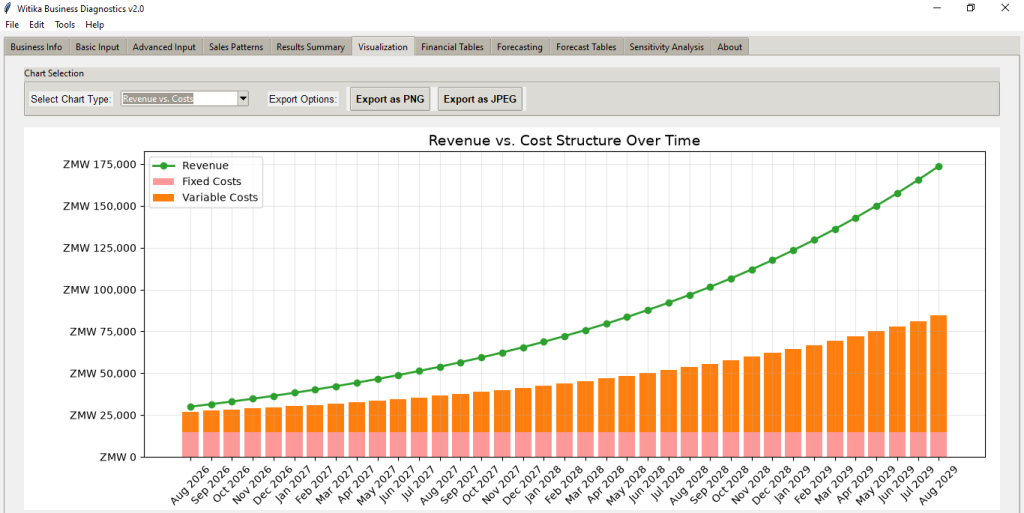
Witika Business Diagnostics includes many charting options to help users understand financial performance visually.
Charts include:
- Break-even timeline.
- Revenue versus costs.
- Profit projection.
- Cumulative cash flow.
- Sensitivity analysis.
- Cost structure analysis.
- Margin analysis.
- ROI progression.
- Growth rate impact.
- Financial ratios.
- Sales pattern analysis.
- Revenue forecast.
- Profit forecast.
- Growth trajectory.
- Market share projection.
- Cash flow forecast.
- Seasonal sales analysis.
- Revenue delay impact.
Charts can be exported as PNG or JPEG files and used in reports, proposals, presentations, or business plans.
The software also includes chart formatting settings, allowing users to adjust font sizes, margins, DPI, grid opacity, line width, and profit projection chart settings.
Sensitivity Analysis
The advanced sensitivity analysis module helps users understand how business outcomes change under different conditions.
Users can simulate:
- Customer loss.
- Supplier loss.
- Employee loss.
- Price changes.
- Cost changes.
The software then compares baseline and modified scenarios using charts such as:
- Impact summary.
- Break-even impact.
- Profitability impact.
- Cash flow impact.
- ROI impact.
- Profit comparison.
- Revenue comparison.
- Cost comparison.
- Seasonal impact.
This helps users identify the biggest risks to the business and understand how vulnerable the business is to changes in assumptions.
Project Management and Saving
Witika Business Diagnostics includes project management functionality. Users can create new projects, save projects, save projects as new versions, open existing projects, view recent projects, export projects to file, and import projects from file.
The software stores project data in a local SQLite database and also supports export to external project files.
Project files include business information, input data, detailed costs, products, salaries, customers, suppliers, sales patterns, results, forecast data, sensitivity data, and chart preferences.
This allows users to maintain multiple business diagnostic projects for different clients, businesses, departments, or scenarios.
Export and Reporting
The software supports multiple export options, including:
- Project export.
- Project import.
- Chart export as PNG.
- Chart export as JPEG.
- Table export to Excel.
- Table export to CSV.
- Copy table to clipboard.
- Forecast chart export.
- Forecast table export.
- Full report export.
The report export includes business information, financial analysis, sales pattern information, revenue recognition details, and break-even results.
This is useful for business plans, grant applications, loan applications, feasibility studies, consultancy reports, academic assignments, and investment discussions.
Key Features
Witika Business Diagnostics includes:
- Business profile management.
- Logo upload.
- Project saving and loading.
- SQLite database storage.
- File import and export.
- Multi-currency support.
- Custom currency symbols.
- Initial investment analysis.
- Fixed cost and variable cost analysis.
- Simple and detailed cost input modes.
- Product and service management.
- Salary and employee cost management.
- Customer management.
- Supplier management.
- Regular monthly sales modelling.
- Periodic sales modelling.
- Seasonal sales modelling.
- Revenue recognition delay modelling.
- Break-even calculation.
- Contribution margin analysis.
- Profit projection.
- Cumulative cash flow analysis.
- Financial tables.
- Forecasting under multiple scenarios.
- Sensitivity analysis.
- Chart export.
- Table export.
- Report export.
- Chart formatting controls.
- User guide and help information.
Who Should Use Witika Business Diagnostics
Witika Business Diagnostics is suitable for:
- Entrepreneurs testing new business ideas.
- Startups preparing business plans.
- SMEs evaluating profitability.
- Business owners planning expansion.
- Consultants preparing feasibility studies.
- Accountants supporting business clients.
- Business development service providers.
- Students preparing entrepreneurship projects.
- Lecturers teaching business analysis.
- Researchers studying SME viability.
- NGOs supporting enterprise development.
- Incubators and accelerators supporting startups.
- Cooperatives analysing business sustainability.
- Policy professionals evaluating enterprise programmes.
- Investors reviewing business assumptions.
Why Clients Should Choose This Software
Clients should choose Witika Business Diagnostics because it helps them understand the financial reality of a business before making major decisions.
It does not only ask for business information. It helps users analyse whether the business can survive, when it can break even, how much it must sell, how seasonal sales affect profitability, how delayed revenue affects cash flow, and how sensitive the business is to changes in key assumptions.
The software is practical, visual, and decision-oriented. It is useful for both simple businesses and more complex businesses with multiple products, detailed costs, customers, suppliers, employees, and irregular sales patterns.
By using Witika Business Diagnostics, clients can improve planning, reduce uncertainty, identify risks, and prepare stronger reports for investors, banks, donors, partners, academic submissions, and internal management.
Trial and Subscription Information
Trying Witika Business Diagnostics is free of charge. Clients can run and test the software for free until the expiry of the trial version. After the trial period expires, clients can decide whether to subscribe and continue using the software.
The subscription fee is K300 per month for Zambian clients and USD 50 per month for clients from foreign countries.
The payment method is open to discussion with each client because different clients may prefer different payment options. Clients are also free to cancel their subscription at any time.
Please subscribe to continue using this software after the trial version expires.
Subscription Assistance
For subscription assistance, please contact Research Expert Solutions by email at:
resgroup@research-expert-solutions.com
Alternatively, for a prompt response, you can call or send a WhatsApp message to:
+260 972 412 315
We look forward to assisting you.